- DIRECT CONTACTS:
- +256394517569
- tours@safarioclock.africa

How to Store Photos Safely During a Rwanda Safari

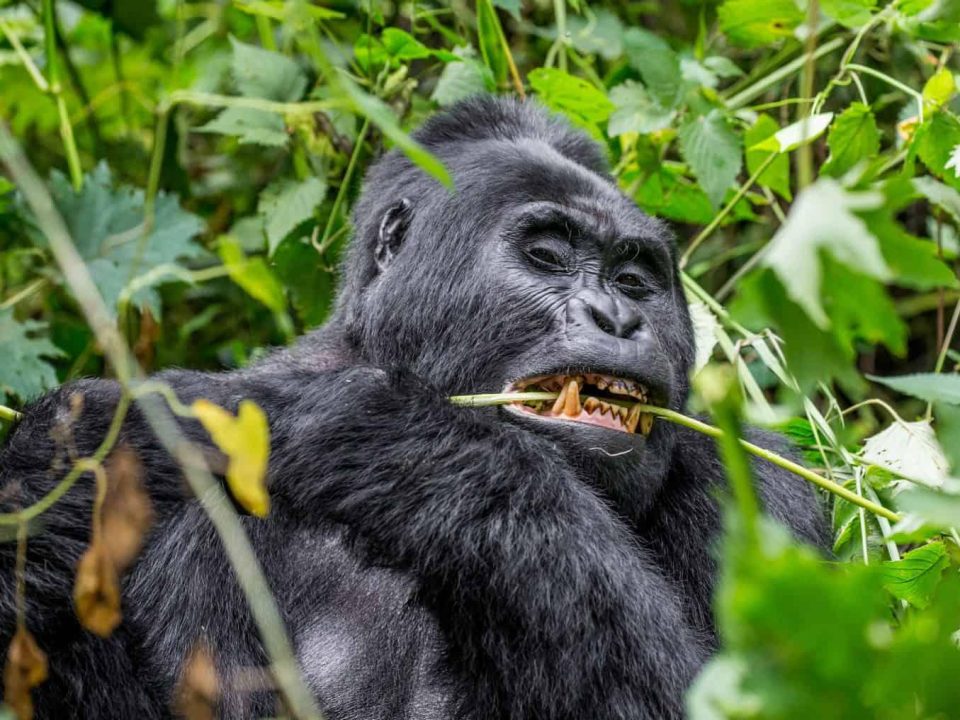
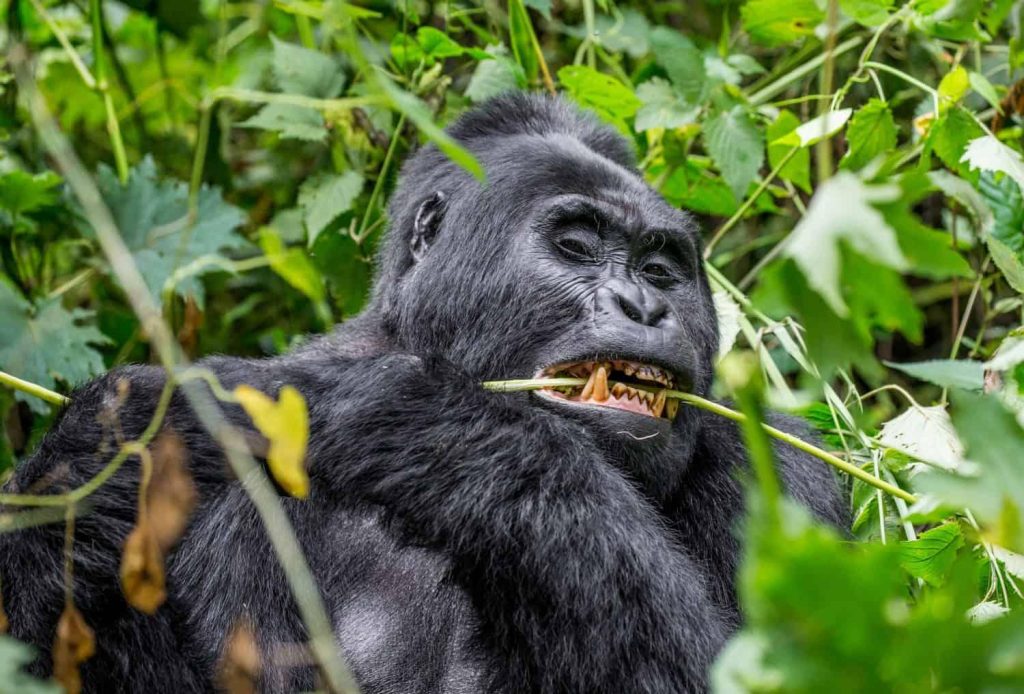
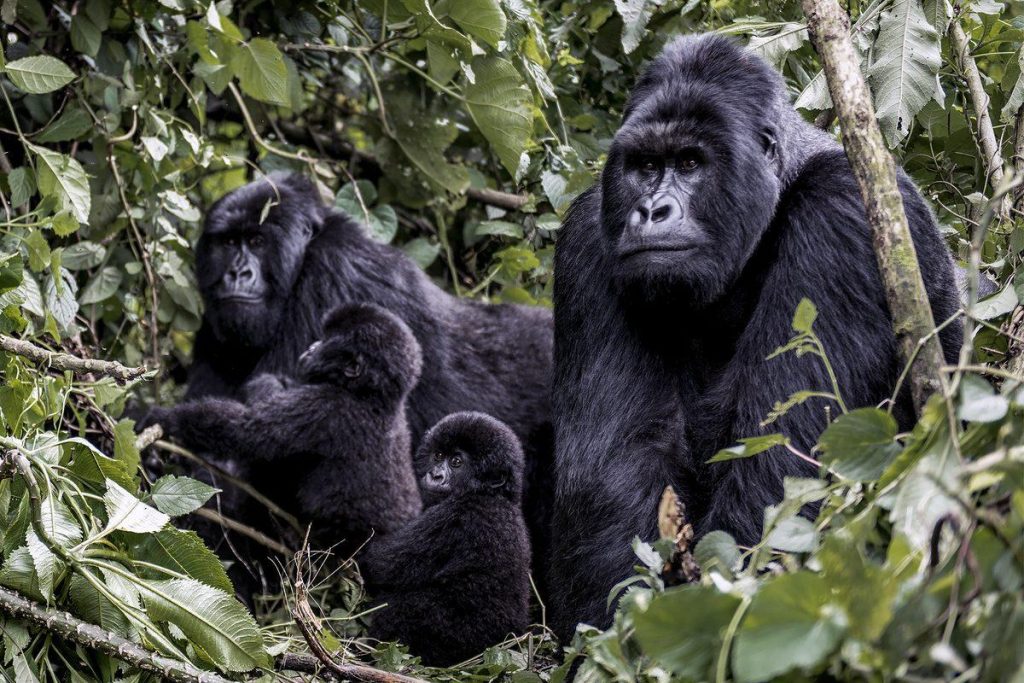
Photographing Gorillas Through Dense Vegetation: Practical Tips
November 19, 2026
A Rwanda safari offers countless opportunities to capture beautiful wildlife photographs. From mountain gorillas in Volcanoes National Park to lions, elephants, zebras and giraffes in Akagera National Park, every destination presents unique moments worth remembering. Travellers often take hundreds of photographs during game drives, nature walks and other wildlife experiences. However, capturing these moments is only part of the photography experience. Protecting the images is equally important.
Imagine spending several days photographing mountain gorillas, only to discover that your memory card has failed. Alternatively, you might lose your camera bag while travelling between safari destinations. Without a backup, those precious photographs could disappear permanently. Such situations show why every traveller needs a reliable photo storage plan before starting a safari.
Fortunately, protecting your photographs does not require complicated equipment. A few memory cards, a portable storage device and a reliable backup routine can make a significant difference. Cloud storage also provides another layer of protection when internet access is available.
At Safari O’clock, we encourage travellers to prepare their photography equipment carefully before exploring Rwanda. Whether you are enjoying a wildlife safari in Akagera, tracking mountain gorillas in Volcanoes National Park or exploring Nyungwe Forest National Park, these practical tips will help you keep your photographs safe throughout your journey.
Why Safari Photo Storage Matters During a Rwanda Safari
Wildlife photography involves capturing moments that may never happen again. An elephant crossing a dusty road, a lion resting beneath a tree or a mountain gorilla interacting with its family can create unforgettable memories. However, these moments exist only briefly. Once they pass, photographers cannot recreate the exact scene.
This makes proper photo storage extremely important. Cameras and memory cards can experience technical problems. Equipment can also become damaged by moisture, dust, accidental drops or other travel-related incidents. In addition, losing a camera bag could mean losing every photograph stored inside it.
Rwanda offers different environments that require careful equipment management. Akagera has open savannah landscapes, while Volcanoes National Park and Nyungwe contain forest environments with changing weather conditions. Travellers may encounter rain, humidity and muddy trails, particularly in mountainous areas.
Therefore, do not depend on a single memory card or storage device. Create several copies of your photographs and keep them in separate locations whenever possible. This simple preparation can protect your memories against unexpected problems.
Carry Enough Memory Cards for Your Safari Photo Storage
Memory cards are among the most important photography accessories to pack before a safari. They store the photographs and videos captured by your camera. However, their storage capacity varies, and different photography settings consume different amounts of space.
For example, RAW photographs usually occupy more storage than standard JPEG images. Videos also require considerable space, especially when recording in high resolution. Therefore, consider your camera settings and expected daily photography activities before choosing memory cards.
Carrying several memory cards is often more practical than depending on one large card. If one card becomes full or develops a problem, you can switch to another. This approach also allows you to separate photographs from different days or destinations.
Choose reputable memory cards that match your camera’s requirements. Check their speed ratings, capacity and compatibility before purchasing them. A fast memory card is particularly useful when capturing continuous wildlife action or recording high-resolution video.
It is also important to label your cards clearly. You can number them or use simple labels such as Card 1, Card 2 and Card 3. This makes it easier to identify used and unused cards.
Avoid carrying loose memory cards in your pockets. Instead, use a protective memory card wallet that keeps them organised and reduces the risk of physical damage or loss.
Use External Hard Drives for Reliable Safari Photo Storage
An external hard drive provides another useful way to protect photographs during a Rwanda safari. These devices allow travellers to transfer images from memory cards and store additional copies without depending entirely on internet access.
Portable solid-state drives, commonly known as SSDs, are particularly useful for travel. They have no moving mechanical parts, making them more resistant to everyday movement than traditional hard disk drives. However, they still require careful handling and protection from water, excessive heat and physical damage.
Before travelling, choose a storage device with enough capacity for your expected photographs and videos. A 1TB or 2TB portable SSD may be suitable for many travellers, although professional photographers with large RAW files may need more space.
You should also check how the drive connects to your laptop, tablet or smartphone. Some drives support USB-C connections, while others may require an adapter or card reader.
After each photography session, transfer your images to the external drive when practical. Organise them into folders based on dates and destinations. For example, you can create separate folders for Akagera National Park, Volcanoes National Park and Nyungwe Forest National Park.
However, remember that an external drive should not become your only backup. Devices can fail, become lost or suffer accidental damage. Always maintain another copy of your photographs on a separate storage medium.
Follow the 3-2-1 Rule for Better Safari Photo Storage
One of the most useful approaches to protecting digital photographs is the 3-2-1 backup rule. It encourages photographers to maintain multiple copies of important files instead of depending on one device.
The principle is simple. Keep at least three copies of your photographs, store them on two different types of media and maintain one copy in a separate location.
For example, you could keep your original photographs on a camera memory card. You could then transfer another copy to a portable SSD. Finally, upload a third copy to a secure cloud storage service when internet access becomes available.
This approach reduces the risk of losing everything through one incident. If your camera card fails, the SSD may still contain your photographs. If you lose the external drive, the cloud copy can provide another recovery option.
Physical separation is also important. Keeping all your memory cards and external drives inside one camera bag creates a single point of failure. If that bag goes missing, every copy may disappear with it.
Instead, separate your storage devices whenever possible. Keep your primary camera equipment in one secure bag and store another backup device separately.
The 3-2-1 approach is especially valuable for longer Rwanda safaris because travellers may visit several destinations over multiple days. Each day creates new photographs that deserve proper protection.
Use Cloud Storage to Protect Your Safari Photographs
Cloud storage allows travellers to save photographs online and access them from different devices. Popular services include Google Photos, Google Drive, Apple iCloud and Microsoft OneDrive.
These platforms can provide an additional layer of protection because your photographs do not depend entirely on physical storage devices. Even if you lose your camera or external drive, uploaded files may remain accessible through your account.
Before travelling, choose a cloud storage service that suits your needs. Check its available storage capacity, subscription costs, supported file formats and backup settings.
It is also important to understand the difference between photo synchronisation and backup. Some services synchronise changes across connected devices. Therefore, deleting a photograph from one device may also remove it from other synced locations, depending on the service and settings.
For important safari photographs, maintain an independent backup instead of relying entirely on synchronisation.
Cloud storage works best when you have a stable internet connection. Rwanda has internet services in Kigali and many hotels. However, connectivity and speeds can vary outside major towns and in more remote safari locations. Therefore, do not assume that you can upload every photograph immediately.
At Safari O’clock, we recommend preparing an offline backup system before departure. You can then use cloud storage whenever a suitable connection becomes available.
Organise Your Safari Photo Storage by Date and Destination
Taking hundreds of photographs without organising them can make it difficult to find important memories later. A simple folder system helps you manage your collection throughout the safari.
Start by creating a main folder with the name of your trip. For example, you could use Rwanda Safari 2026. Inside it, create separate folders for each travel date and destination.
A simple structure might look like this:
- Rwanda Safari 2026
- Day 1 – Kigali
- Day 2 – Akagera National Park
- Day 3 – Akagera Wildlife Photography
- Day 4 – Volcanoes National Park
- Day 5 – Gorilla Trekking
- Day 6 – Nyungwe Forest National Park
You can also create separate folders for photographs and videos. This makes it easier to locate specific files when editing or sharing your memories.
For additional organisation, use descriptive file names where appropriate. For instance, a photograph of a mountain gorilla could have a name such as Mountain-Gorilla-Volcanoes-2026.
However, avoid changing the original files unnecessarily during the initial backup process. Keep an untouched copy of your original photographs before editing or renaming working versions.
Organising your files daily also reduces the amount of work waiting for you after returning home.
Protect Memory Cards from Physical Damage During Your Safari
Memory cards are small, but they contain valuable photographs. Losing or damaging one can result in the loss of many important images.
Therefore, handle your cards carefully throughout the journey. Always wait for the camera’s writing indicator to stop before removing a card. Removing it while the camera is saving photographs can interrupt the process and potentially damage files.
Avoid touching the metal contacts on the card. Dirt, moisture and physical damage can interfere with proper operation.
A protective memory card wallet provides a simple storage solution. It keeps cards in one place and prevents them from moving loosely inside your luggage.
You should also keep used and unused cards separate. For example, place unused cards on one side of the wallet and cards awaiting backup on another. Once you have transferred and verified the photographs, move the cards into a clearly identified backed-up section.
Never format a card simply because you have transferred the photographs. First, open the copied files and confirm that they work correctly. Ideally, maintain two verified backups before reusing the card.
These small habits can help prevent accidental data loss during a busy safari.
Keep Your Photo Storage Equipment Safe from Rain and Humidity
Rwanda’s natural environments can expose photography equipment to changing weather conditions. This is especially important when visiting mountainous and forest destinations such as Volcanoes National Park and Nyungwe Forest National Park.
Rain and humidity can affect cameras, memory cards, laptops and portable storage devices. Dust and moisture may also enter equipment when travellers move between different environments.
Use a waterproof camera bag or protective cover when travelling in areas where rain is possible. Keep memory cards and external drives inside protective cases rather than leaving them exposed.
You should also avoid placing electronic equipment on wet surfaces. After trekking or travelling in rainy conditions, check your equipment and dry any external moisture with a clean, soft cloth. Follow the manufacturer’s instructions before cleaning sensitive devices.
Condensation is another concern when moving equipment between environments with different temperatures. Allow equipment to adjust gradually before opening protective cases or changing lenses.
Furthermore, avoid leaving storage devices inside vehicles exposed to direct sunlight for long periods. Excessive heat can affect electronic equipment and shorten its useful life.
A little preparation can protect your storage equipment and help you enjoy your photography experience with fewer worries.
Back Up Your Photos Every Evening During a Rwanda Safari
One of the best habits for wildlife photographers is to create a backup routine at the end of each day. This prevents you from depending on a single memory card throughout the entire journey.
After returning from a game drive or gorilla trekking experience, take a few minutes to organise your photographs. Transfer the files to your laptop or portable storage device. Then create a second copy on another suitable device.
Check that the transfer has completed successfully. Open several photographs from the backup location to confirm that they display correctly. You can also compare file counts and folder sizes.
If your storage software offers file verification, use it to check that the copied files match the originals.
Once you have confirmed the backups, return the memory card to its protective case. Keep it until you have verified that your photographs exist in other storage locations.
You do not need to upload every image to the internet each evening. Instead, prioritise local backups first. When you have reliable Wi-Fi, upload important photographs to your cloud account.
This routine is particularly useful during longer safaris. It ensures that every day’s photographs receive attention before you move to the next destination.
Carry Enough Power for Your Safari Photo Storage Routine
Backing up photographs requires power. Your camera, laptop, smartphone, card reader and external storage devices may all need charging during the journey.
Therefore, prepare your charging equipment before leaving home. Carry the correct charging cables and a suitable travel adapter for Rwanda. Rwanda generally uses a 230V supply, and travellers should check plug compatibility with their devices.
A reliable power bank can also help keep smartphones and other compatible devices charged. However, check its capacity and airline restrictions before packing it.
If you plan to use a laptop for nightly backups, make sure its battery can support the transfer process. You can also carry a suitable charger and charge your equipment whenever lodge facilities are available.
Some safari lodges may use solar power or generators. Charging opportunities and electricity availability can therefore vary. Do not leave all your charging until the last moment.
At Safari O’clock, we encourage travellers to think about power management as part of their photography preparation. A full memory card or an uncharged device should not interrupt your ability to protect valuable photographs.
Use a Laptop or Smartphone to Manage Your Safari Photographs
A laptop can make photo management easier during a longer safari. It provides a larger screen for reviewing images and offers convenient ways to organise folders and transfer files.
You can connect your camera or memory card reader to the laptop and copy photographs directly to an external SSD. Some photo management applications also help organise images, add keywords and identify duplicate files.
However, carrying a laptop is not essential for every traveller. Smartphone users can also transfer photographs using compatible card readers and USB connections.
Before departure, test your equipment. Confirm that your smartphone recognises the card reader and that your storage device supports the required connection.
You should also check whether your chosen device has enough available storage. Transferring thousands of RAW images to a phone with limited capacity may not be practical.
For travellers who prefer a lighter packing arrangement, a compatible smartphone, card reader and portable SSD may provide a useful alternative.
Choose a system that matches your photography needs, equipment and safari duration.
Protect Your Cloud Storage Account and Personal Photographs
Online storage offers convenience, but account security also matters. Your safari photographs may contain personal memories, family images and valuable photography work.
Start by creating a strong, unique password for your cloud storage account. Enable two-factor authentication where available. This adds another layer of protection if someone obtains your password.
Avoid accessing important accounts on unfamiliar public computers. If you must use a shared device, sign out after finishing and avoid saving your login details.
You should also review your cloud storage privacy settings. Understand who can view shared albums and whether your photographs are publicly accessible through shared links.
When using public Wi-Fi, avoid unnecessary access to sensitive accounts. Use secure connections and keep your devices updated.
In addition, consider keeping a separate copy of important photographs that does not depend on your main synchronised photo library.
Good account security helps protect your photographs long after the safari ends.
Common Photo Storage Mistakes to Avoid During a Rwanda Safari
Even well-prepared travellers can make mistakes when managing their photographs. However, recognising these problems can help prevent unnecessary data loss.
One common mistake is relying on a single memory card. If it becomes damaged, full or corrupted, you may lose access to your entire collection. Carry spare cards and create regular backups.
Another mistake is formatting memory cards before checking the transferred photographs. A transfer message does not always guarantee that every file copied correctly. Open the files and verify the backup before formatting.
Some travellers also depend entirely on cloud storage. Although online backups are useful, internet access may vary between destinations. Always carry a physical backup option.
Leaving all storage devices in one bag is another risk. Theft, accidental loss or water damage could affect every copy. Separate your backups whenever possible.
Finally, avoid waiting until the end of the safari to organise your photographs. Daily organisation makes the process easier and reduces the risk of losing track of important files.
A Simple Daily Checklist for Safe Safari Photo Storage
A consistent routine makes photo management easier, especially after long days of wildlife viewing.
At the end of each day, take a few minutes to complete the following tasks:
- Check the photographs and videos captured during the day.
- Transfer the files from your memory card to your main storage device.
- Create a second copy on a separate external drive.
- Open several copied files to confirm that they work.
- Organise the photographs according to date and destination.
- Return the memory card to its protective case.
- Charge your camera, laptop and other storage equipment.
- Upload important photographs to cloud storage when reliable internet is available.
- Keep your backup devices in separate secure locations.
Following this checklist throughout your journey can make a significant difference. It also helps you return home with an organised collection of photographs ready for editing, printing and sharing.
Final Thoughts on How to Store Photos Safely During a Rwanda Safari
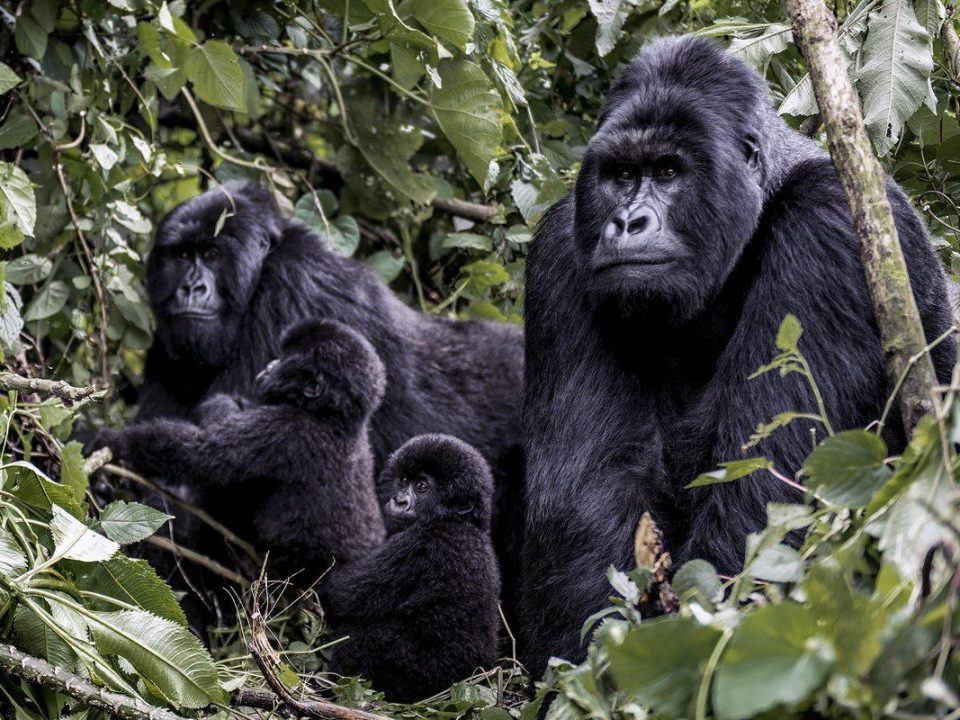
A Rwanda safari creates memories that deserve protection. From the incredible mountain gorillas of Volcanoes National Park to the diverse wildlife of Akagera, every photograph captures a unique part of your journey.
However, taking beautiful pictures is only the beginning. Travellers also need to think about how they will store, organise and protect those images throughout the safari.
Carrying spare memory cards, using external storage devices, following the 3-2-1 backup rule and uploading photographs to secure cloud storage can help reduce the risk of data loss. Furthermore, protecting equipment from rain, humidity, excessive heat and physical damage is essential.
Developing a simple daily backup routine makes the process easier. Most importantly, never format a memory card before checking that your photographs have been transferred and backed up successfully.
At Safari O’clock, we want every traveller to enjoy Rwanda’s extraordinary wildlife experiences while preserving the memories they create. Prepare your storage equipment, organise your photographs and protect every special moment along the way.
Travel with Safari O’clock, explore Rwanda’s natural beauty and return home with memories safely preserved for years to come.